
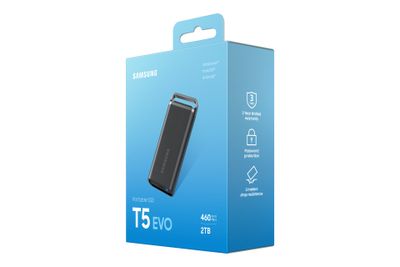
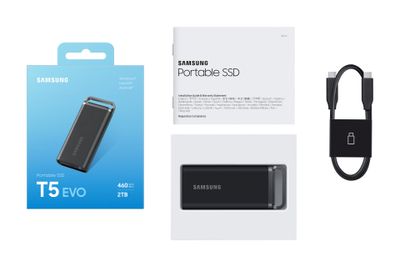
Please login to see the price
Article-No.:
270051
Manufacturer-No.:
MU-PH2T0S/EU
EAN/GTIN:
8806094905403
Technical specifications
General
Packaged Quantity
1
Hard Drive
Capacity
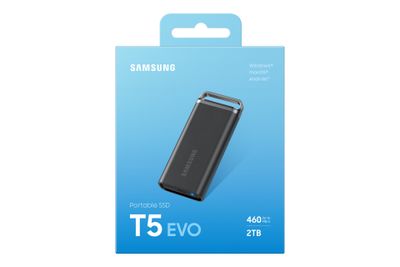
2 TB
Hard Drive Type
External hard drive
Interface
USB 3.2 Gen 1
External Hard Drive
Interface Speed
5.0 Gbps (USB 3.2 Gen 1)
Max Data Transfer Rate
460 MB/s
Power Source
USB bus
USB-C Port
System Requirements
OS Required
Apple MacOS, Android, Microsoft Windows
Dimensions & Weight
Width
4 cm
Depth
1,7 cm
Height
9,5 cm
Weight
102 g
Miscellaneous
Color
Black
Color Category
Black
Description
Versatility at your fingertips
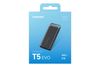
Life offers you many opportunities. With the versatile T5 EVO Portable SSD, you can stay ahead of the curve when working, creating, learning, playing, or looking for inspiration. It offers compelling performance, data protection and a choice of capacities of up to 8TB.
Full speed ahead
With sequential read, write speeds of up to 460 MB/s, the T5 EVO can handle large file transfers with faster and sustained performance compared to external hard drives. Its engineered to keep you performing at all times.
Store large files
With storage capacities of up to 8 TB, the T5 EVO is suitable for a wide range of applications. Whether you're working, creating, studying, gaming, or backing up, the Portable SSD has the right size for your needs.
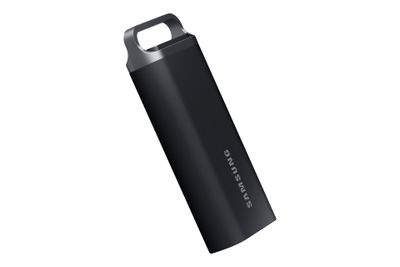
Ergonomic design
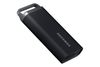
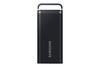
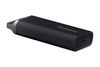
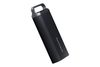
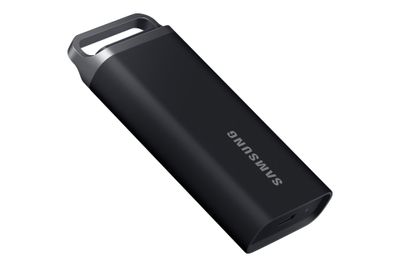
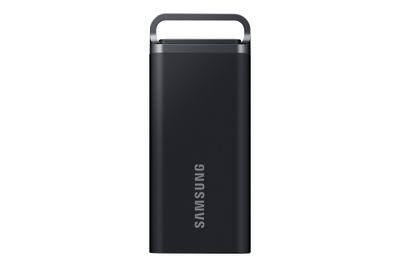
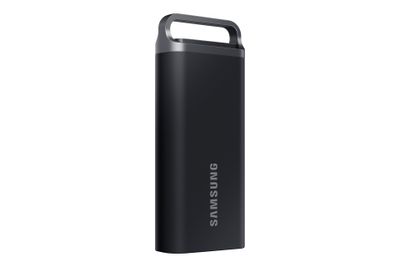
Designed to fit in the hand. Its metal and rubberised casing features a metal ring that can also be attached to a bag. The T5 EVO will protect your data in the event of an accidental drop from a height of up to two metres for added peace of mind.
Thermal management
Safe to use without overheating. The advanced temperature management of the T5 EVO uses Dynamic Thermal Guard technology. This ensures that the T5 EVO does not get uncomfortably hot and maintains its optimum operating temperature even under heavy use. Because your safety is our top priority.
Extensive compatibility
Whichever device you're using, the T5 EVO makes the connection. It works with Macs, PCs, laptops, and Android™ smartphones and tablets. It is also compatible with game consoles. Decide when and where you want to use your T5 EVO.
Samsung Magician software
Unlock the full power of T5 EVO with Samsung Magician software - a user-friendly suite of optimisation tools that ensure the best portable SSD performance. Protect valuable data, monitor drive health, and get the latest firmware updates.
Bringing innovations to life
For decades, Samsungs NAND flash memory has powered groundbreaking technologies that have changed every part of our daily lives. This NAND flash technology also powers our consumer SSDs, making room for the next big push of innovation.
Ergonomic design
Designed to fit right in your hand. Its solid metal and rubberized casing features an upper metal ring to provide a more secure grip and added portability for versatile lifestyles. The T5 EVO protects your data even when dropped accidentally from up to two meters for that added peace of mind.
Life offers you many opportunities. With the versatile T5 EVO Portable SSD, you can stay ahead of the curve when working, creating, learning, playing, or looking for inspiration. It offers compelling performance, data protection and a choice of capacities of up to 8TB.
Full speed ahead
With sequential read, write speeds of up to 460 MB/s, the T5 EVO can handle large file transfers with faster and sustained performance compared to external hard drives. Its engineered to keep you performing at all times.
Store large files
With storage capacities of up to 8 TB, the T5 EVO is suitable for a wide range of applications. Whether you're working, creating, studying, gaming, or backing up, the Portable SSD has the right size for your needs.
Ergonomic design
Designed to fit in the hand. Its metal and rubberised casing features a metal ring that can also be attached to a bag. The T5 EVO will protect your data in the event of an accidental drop from a height of up to two metres for added peace of mind.
Thermal management
Safe to use without overheating. The advanced temperature management of the T5 EVO uses Dynamic Thermal Guard technology. This ensures that the T5 EVO does not get uncomfortably hot and maintains its optimum operating temperature even under heavy use. Because your safety is our top priority.
Extensive compatibility
Whichever device you're using, the T5 EVO makes the connection. It works with Macs, PCs, laptops, and Android™ smartphones and tablets. It is also compatible with game consoles. Decide when and where you want to use your T5 EVO.
Samsung Magician software
Unlock the full power of T5 EVO with Samsung Magician software - a user-friendly suite of optimisation tools that ensure the best portable SSD performance. Protect valuable data, monitor drive health, and get the latest firmware updates.
Bringing innovations to life
For decades, Samsungs NAND flash memory has powered groundbreaking technologies that have changed every part of our daily lives. This NAND flash technology also powers our consumer SSDs, making room for the next big push of innovation.
Ergonomic design
Designed to fit right in your hand. Its solid metal and rubberized casing features an upper metal ring to provide a more secure grip and added portability for versatile lifestyles. The T5 EVO protects your data even when dropped accidentally from up to two meters for that added peace of mind.
- Robust design
Equipped with Dynamic Thermal Guard protection and a shock-resistant build, the Samsung T5 Evo ensures your data is safe even in demanding conditions. Its durable exterior is designed to withstand the rigors of daily use, making it suitable for professionals on-the-go - High-speed connectivity
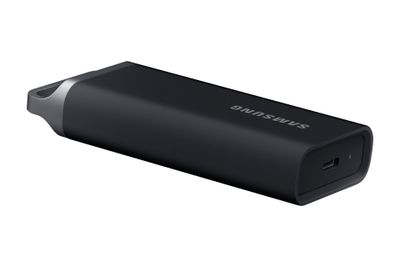
Featuring a USB 3.2 Gen 1 interface with a USB-C port, the Samsung T5 Evo offers an interface speed of up to 5.0 Gbps. Coupled with the USB Attached SCSI Protocol (UASP) compliance, it ensures high-speed data transfers, making it suitable for transferring large files without the wait - Secure data encryption
With built-in 256-bit AES hardware encryption, the Samsung T5 Evo provides high-level security for your data. This feature allows you to protect your personal and sensitive information from unauthorized access, giving you peace of mind
There is no liability or guarantee that all information is complete, correct and up to date at all times.